Week 5 [Mon, Sep 7th] - Project
iP:
- Learn from others (optional)
- Add Increment as a branch:
Level-5 - Add Increment:
A-Packages
tP:
- Brainstorm user stories before the tutorial
- Choose user stories for the MVP version during the tutorial
iP
1 Learn from others (optional)
- You can use the iP Code Dashboard to view others' iP code, using the
Links → iP Code Dashboarditem in the top navigation menu of this course website. We encourage you to read others' code and learn from them. If you adopt solutions from others (also encouraged), please follow our reuse policy.
Click on the icon corresponding to a student name to see the code written by that person.
You can enable the [ ] show tags option at the top of the dashboard to see tags in each repo. Similarly, you can click on the icon to see a list of commits in a specific repo.
2 Add Increment as a branch: Level-5
- Do each increment as a Git branch. Here is an example:
- Start a branch named
branch-{increment ID}(e.g.,branch-Level-5). You are recommended to have multiple commits in that branch. Follow the branch naming convention exactly or else our gradings scripts might miss your branch. - After the increment is ready, merge the
branch-Level-5back on tomaster, without a fast-forward so that git creates a separate commit for the merge.git tagthat merge commit asLevel-5. - Push the branch to your fork so that the grading script can detect it. As before, push the tag as well.
- Advanced Git users: do not delete the branch after merging.
- Start a branch named
tP: Gather Requirements

1 Brainstorm user stories before the tutorial
Learn the recipe for brainstorming user stories in the textbook → Specifying Requirements → User Stories → Usage.
Also learn about brainstorming and user stories.Follow the steps in the recipe mentioned above to arrive at user stories for the product, with your team members.
Keep records of all intermediate steps, e.g., the persona, scope, and narrative.User stories for what version? At this stage, collect user stories to cover at least the version you hope to deliver at the end of the semester. It is OK to go even beyond that (reason: we are simulating a project that will continue even after the semester is over).
How many user stories? Aim to collect more user stories than you can deliver in the project. Aim to create at least 30 user stories. Include all 'obvious' ones you can think of, but also look for 'non-obvious' ones that you think are likely to be missed by other competing products.
User stories of what size? Normally, it is fine to use epic-level user stories in the early stages of a project, but given this is a small project, you may want to eventually break them down into smaller user stories (i.e., small enough for one person to implement in 1-2 days). Some examples (from the iP product domain):
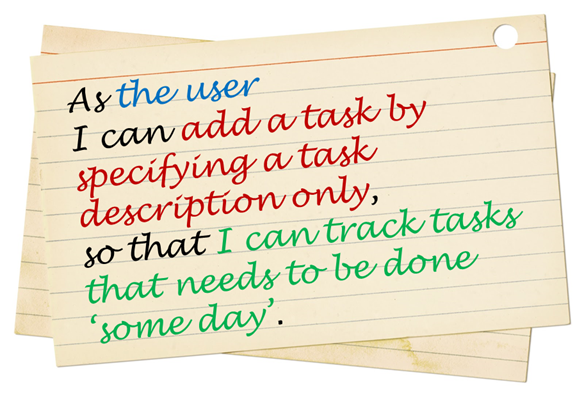
- Bad As a user, I can track my schedule, so that I can know when to do things.
Reason: too big, as tracking can involve a lot of things. - Good As a user, I can add a time to a task, so that I can record when a task needs to be done.
- Good As a user, I can see the pending task that has the next earliest deadline, so that I can know what I need to do next.
- Bad As a user, I can track my schedule, so that I can know when to do things.
What format? You may use a sentence format or a table format, but do maintain the prescribed three-part structure of a user story. In particular, try to include the benefit part in most user stories as that will come in handy when prioritizing user stories later.
Use an online spreadsheet for recording user stories (e.g., Google Sheets), if you are not sure which tool to use -- they are easy to edit, share, color, and, more importantly, sort/filter.Submission (to be checked by the tutor later):
- Intermediate steps (e.g., persona, narrative): These should be in your collaborative project document started in the previous week. Mark them clearly so that the tutor can detect them easily.
- Brainstormed user stories: Record them using an online tool (some examples given in [Textbook Specifying Requirements → User Stories → Usage → (panel) Tool Examples]).
If you put the user stories in a page/file other than your main collaborative project notes document (i.e., the one given here), ensure that page/file is viewable by the public, and the main document has a link to that page/file. Otherwise, the tutor will not be able to see your list of user stories.
2 Choose user stories for the MVP version during the tutorial
Task: Of the user stories you have collected, select the ones you would put in an version of the product. The goal here is to come up with the smallest possible product that is still usable so that it can be implemented quickly and delivered at the end of an earlier iteration.
Try to limit the MVP to strictly must-have user stories only, i.e., it's NOT what you can or want to put in the MVP, but what you must have in the MVP. If the product can be of some use without a given user story, that user story should be left out of the MVP version, even if the omission makes the product hard to use, as long as the product is not impossible to use, e.g., in most cases a product can be used without an 'edit item' feature because the user can always delete an item and add a new item instead of editing an existing item.
Do not discuss features, UI, command format, or implementation details yet. That would be like putting the cart before the horse. At this stage, we are simply trying to choose which user needs we should fulfill first.
Don't worry about subsequent versions or the final version. You can design them later.
Don't worry about the MVP being 'too small'. You can always add more features to the MVP version if you finish it ahead of schedule.
You can also select an additional set of user stories that are nice-to-have for the MVP, to be done only if there's time left.In the interest of keeping the MVP small, you can narrow the scope of the MVP further, e.g., a narrower target user, a smaller value proposition.
Suggested workflow:
- First stage:
- Divide the user stories among team members.
- Each member will go through their user stories to discard (e.g., cross out or move to a different location, but not delete) the ones that are definitely not needed for the MVP.
- Second stage:
- All members discuss the remaining user stories (i.e., the ones not discarded in the first stage), and try to trim the list further.
- First stage: